
We set the scrolling element, in this case our HTML element, to forcibly snap to the Y axis by using scroll-snap-type: y mandatory.
And then we set section as the snapping elements by using scroll-snap-align: start.

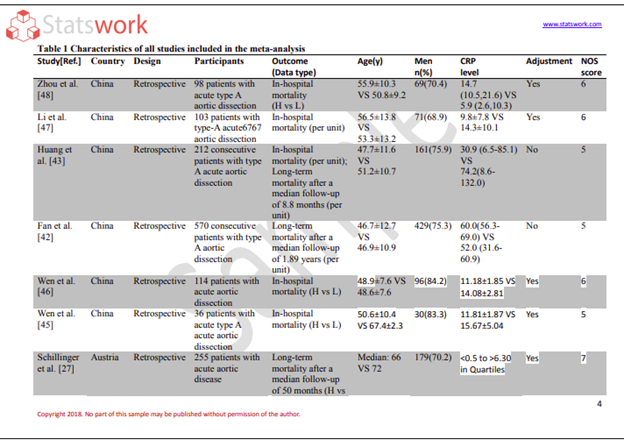
Data Analysis services
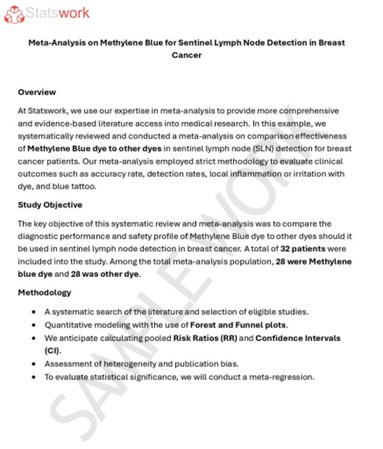
Meta-Analysis Research Services
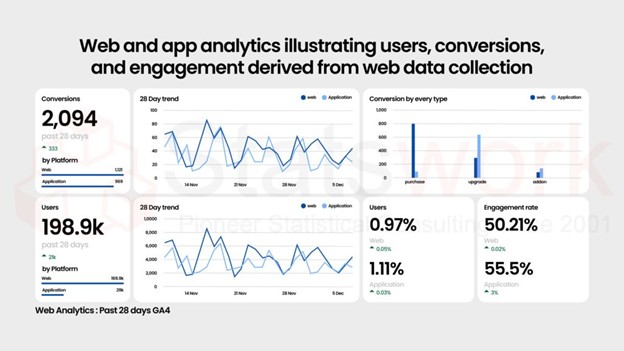
Data Collection Services
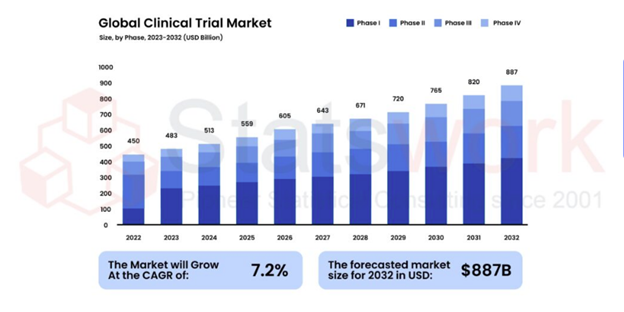
Statistical Programming & Biostatistics services
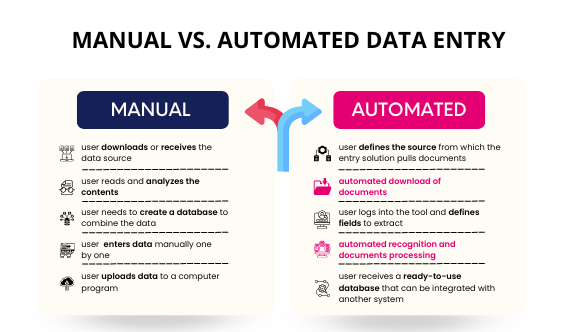
Data Management Services
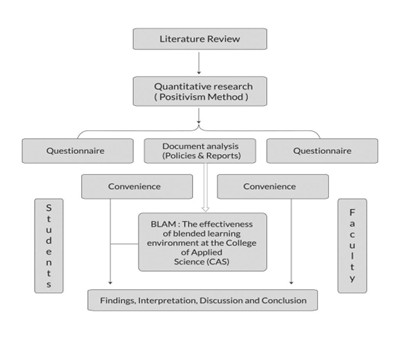
Research methodology services
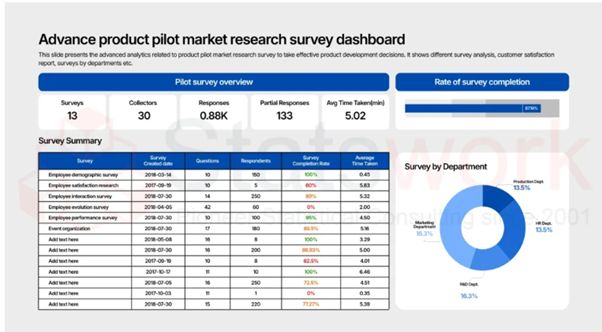
Tool development services
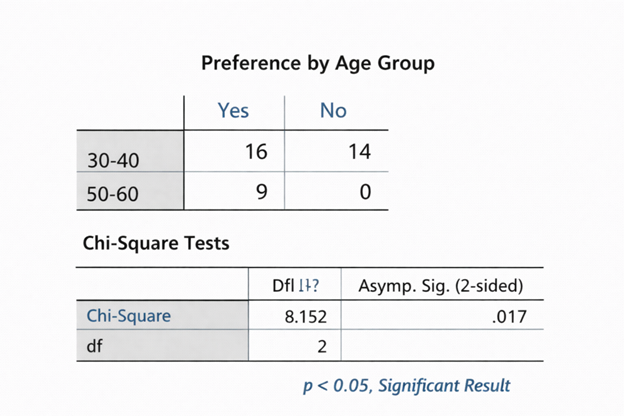
Statistical Interpretation services
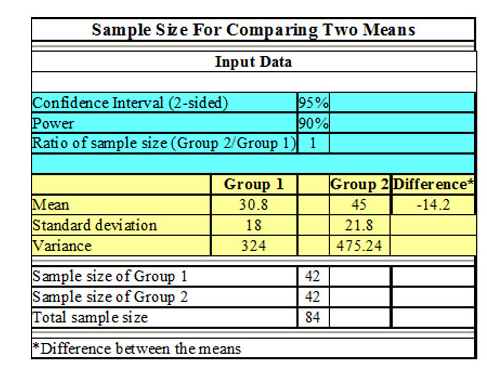
Sample Size Calculation Services
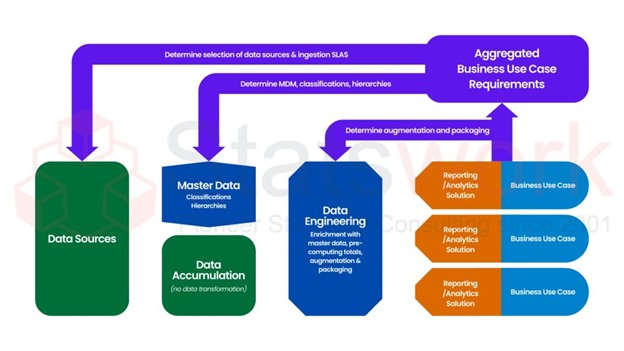
Artificial Intelligence and Machine Learning Services
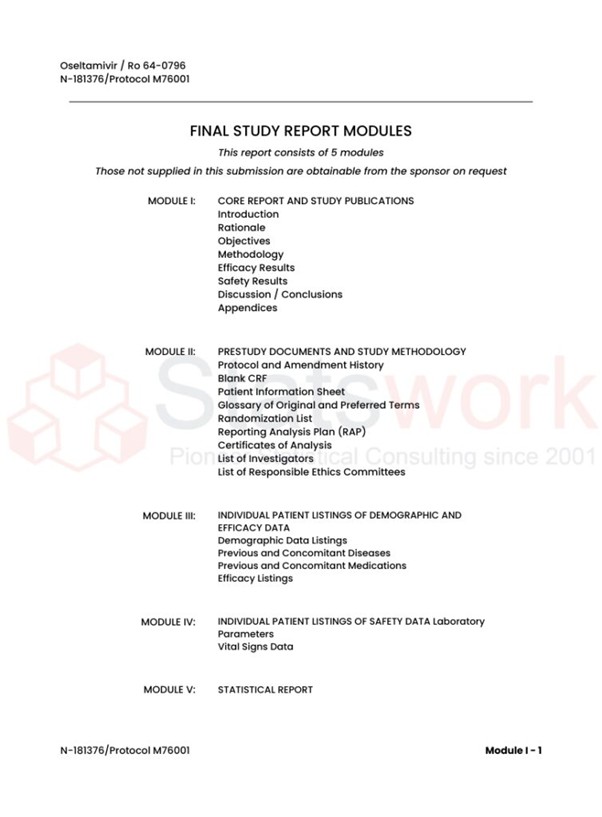
Report generation Services
Data Analysis services
Meta-Analysis Research Services
Data Collection Services
Statistical Programming & Biostatistics services
Data Management Services
Research methodology services
Tool development services
Statistical Interpretation services
Sample Size Calculation Services
Artificial Intelligence and Machine Learning Services
Report generation Services


AI-infused engineering that speaks your language—innovative, efficient, and built to solve real problems.
Harness the power of ML models, LLMs, and advanced data modernization techniques.
Build scalable, secure, and high-performance software products for enterprises.
Automate workflows and reduce manual effort with AI-driven solutions.
We deliver flawless software with AI-driven testing, continuous integration, and DevOps automation.

We set the scrolling element, in this case our HTML element, to forcibly snap to the Y axis by using scroll-snap-type: y mandatory.
And then we set section as the snapping elements by using scroll-snap-align: start.

We track the view() position of the section elements using the named timeline view-timeline: --section;. We had previously set the timeline-scope: --section up in our HTML element, so we can access it from anywhere in the document.
We animate the .content children using animation-timeline: --section;. The .content element will now animate based on its parent section's position. This is important due to how we're handling the layout in the next section.

We set the .content elements to position: fixed, so they're removed from the normal document flow and stack on top of each other, giving them a solid background, so only one is visible at a time.
Their parent sections are positioned as normal in the layer below, taking up space, scroll-snapping, and powering the animation-timeline.

By setting the .content elements to position: fixed, we can now transition between them without a visible scrolling movement.
We create a normal @keyframe animation to our liking to transition between them. Check the navigation menu to see different effects.

position: fixed. You need to carefully manage stacking contexts.blink effect uses the contrast() filter, which modifies the colors of the entire section. Thus, the background is set to black (or white), ensuring that it appears unchanged during transitions due to already being at maximum contrast.